
Eligibility
The eligibility section is a fixed set of questions at the start of every interview. After these questions are answered, a JEXL expression, the Eligibility Script: determines whether the participant meets the study’s inclusion criteria. Ineligible participants are shown a customisable message and the interview ends.
General settings for eligibility
The survey’s General Settings tab controls how eligibility screening works:
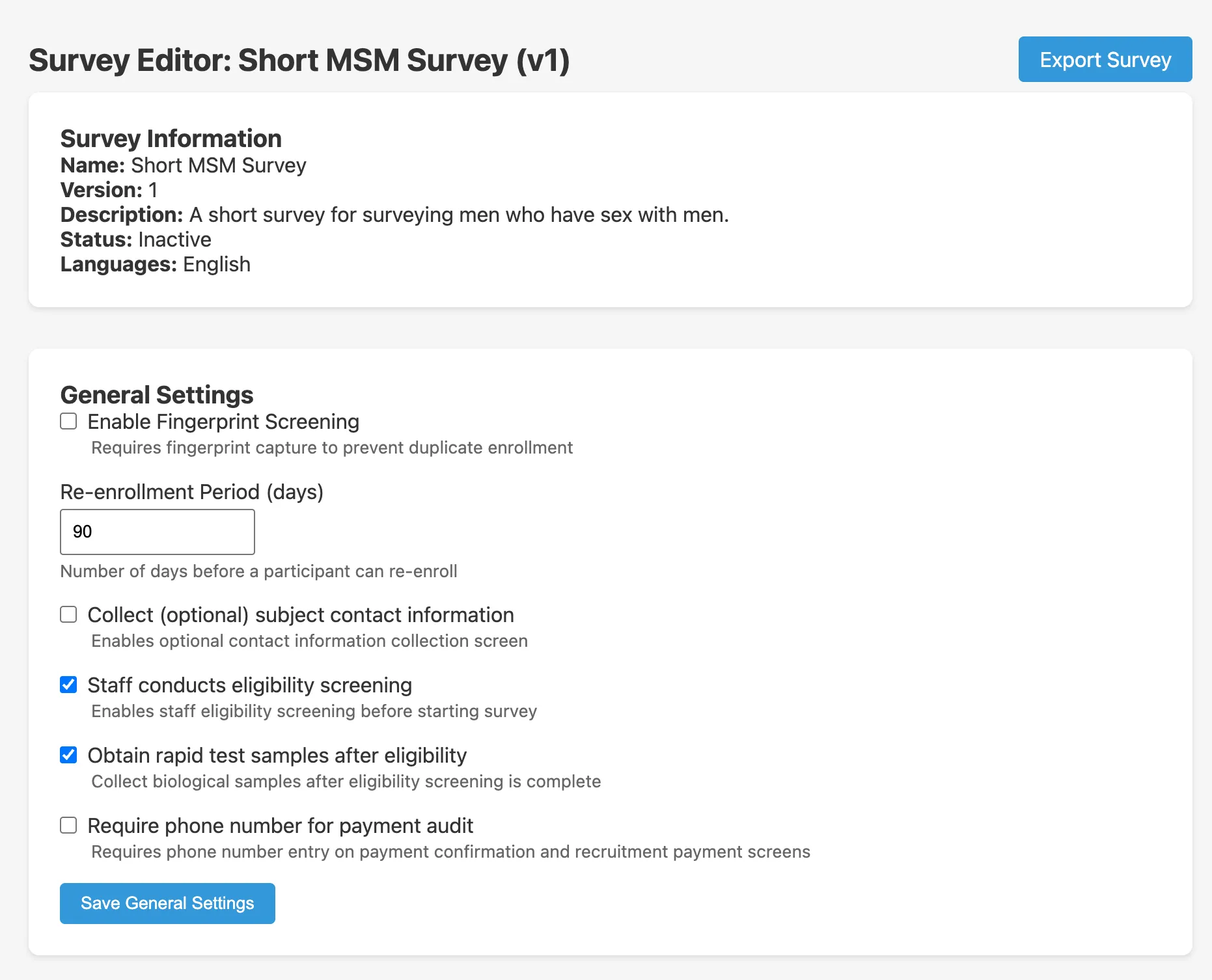
| Setting | Description |
|---|---|
| Staff conducts eligibility screening | If checked, the eligibility questions are administered by staff before the participant takes the self-interview. If unchecked, the participant answers eligibility questions themselves on the tablet. |
| Enable Fingerprint Screening | Whether the tablet checks the participant’s fingerprint against previously enrolled participants to prevent duplicate enrolment. |
| Re-enrollment Period | Days after a participant’s initial enrolment during which the fingerprint scanner will flag them as a duplicate (e.g. 90 days). After this period, the same person may be enrolled again. |
The eligibility script
The eligibility script is a JEXL expression entered in the Eligibility Settings card of the survey editor:
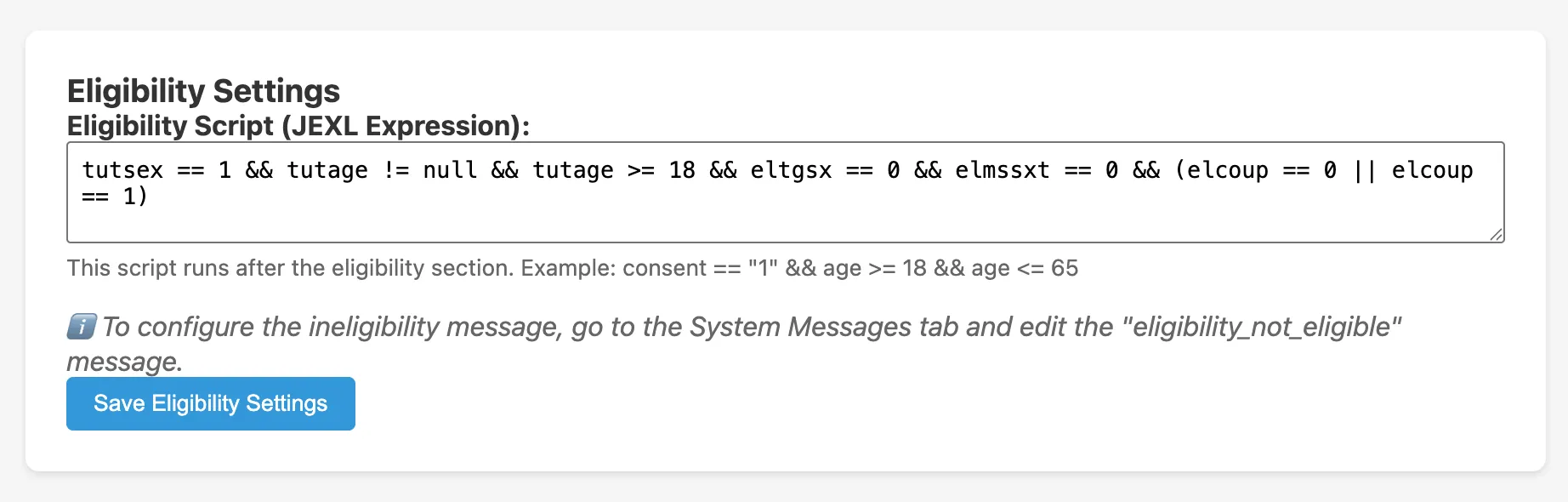
The script may reference any question by its short name. It runs once, after all eligibility questions are answered. If the expression evaluates to true, the participant is eligible and the main interview begins. If false, the participant is shown the ineligibility message.
Example eligibility script
tutsex == 1 && tutage != null && tutage >= 18 && eltgsx == 0 && elmssxt == 0 && (elcoup == 0 || elcoup == 1)This script from the CRANE MSM survey requires:
tutsex == 1, second option for sex question (male)tutage != null && tutage >= 18, age provided and at least 18eltgsx == 0, first option for “ever had anal sex” (yes)elmssxt == 0, first option for “ever had sex with a man” (yes)elcoup == 0 || elcoup == 1, coupon valid (first or second option)
Writing the eligibility script
See the full Survey Logic guide for:
- How option numbers work (starting at 0)
- How to combine conditions with
&&and|| - How to handle unanswered questions (
!= null) - Common mistakes
Questions in the eligibility section
Create eligibility questions the same way as other questions, but set their Section field to Eligibility in the question edit modal. These questions appear before the main interview and their answers are available to the eligibility script.
Ineligibility message
The message shown to ineligible participants is configured on the System Messages tab. See System Messages.